How to review publishing performance in SocialYak
Clients want to know what's working. Analytics shows how reliably posts went out, how followers and engagement are trending, and which posts did best, with suggestions for what to post next.
Before you start
- A Growth or Agency plan
- Some published posts
Preview voice Narrated with a local preview voice; the final recording replaces it.
Transcript
See how posts are performing across every network, and what to post next.
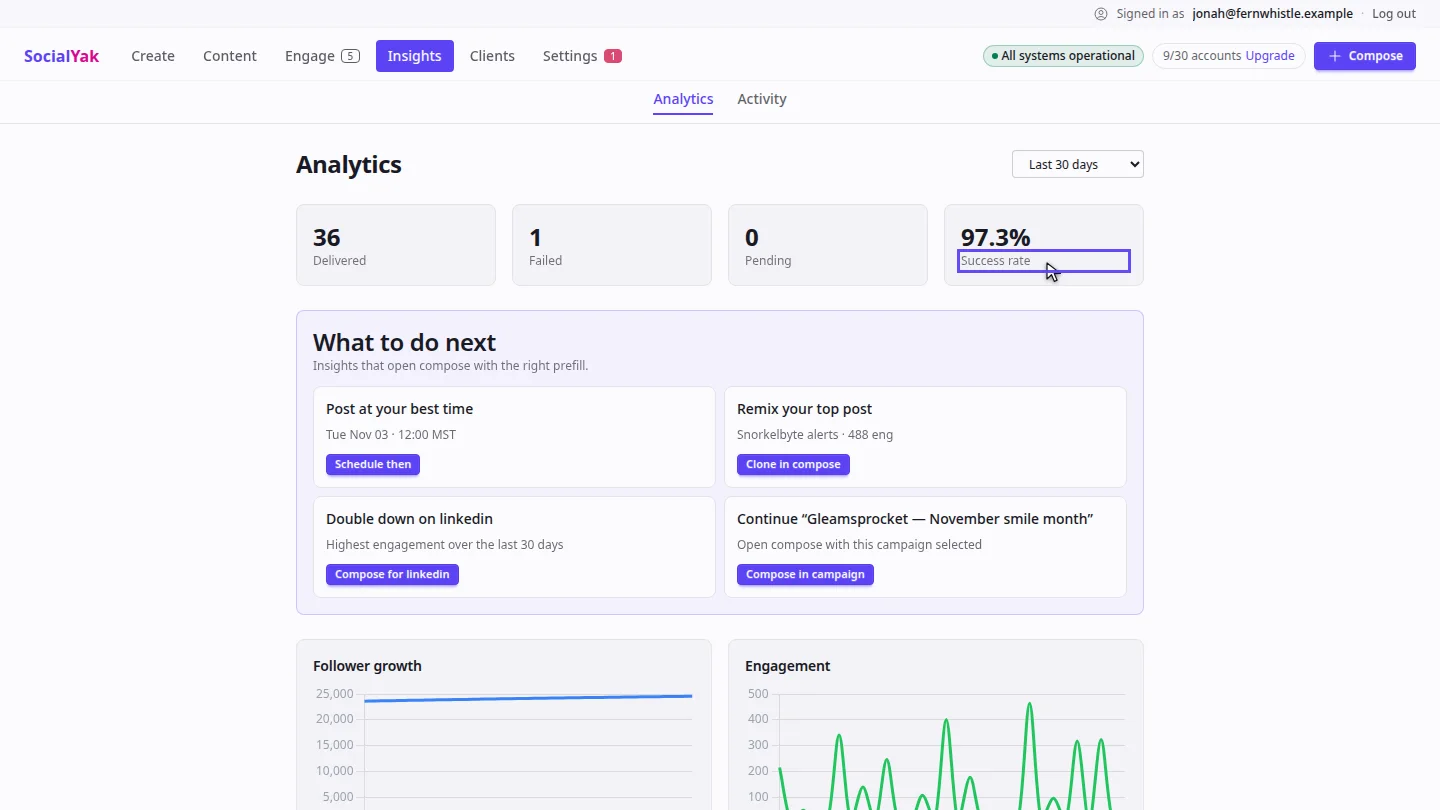
Open Insights. The cards at the top count posts delivered, failed and pending, and your success rate.
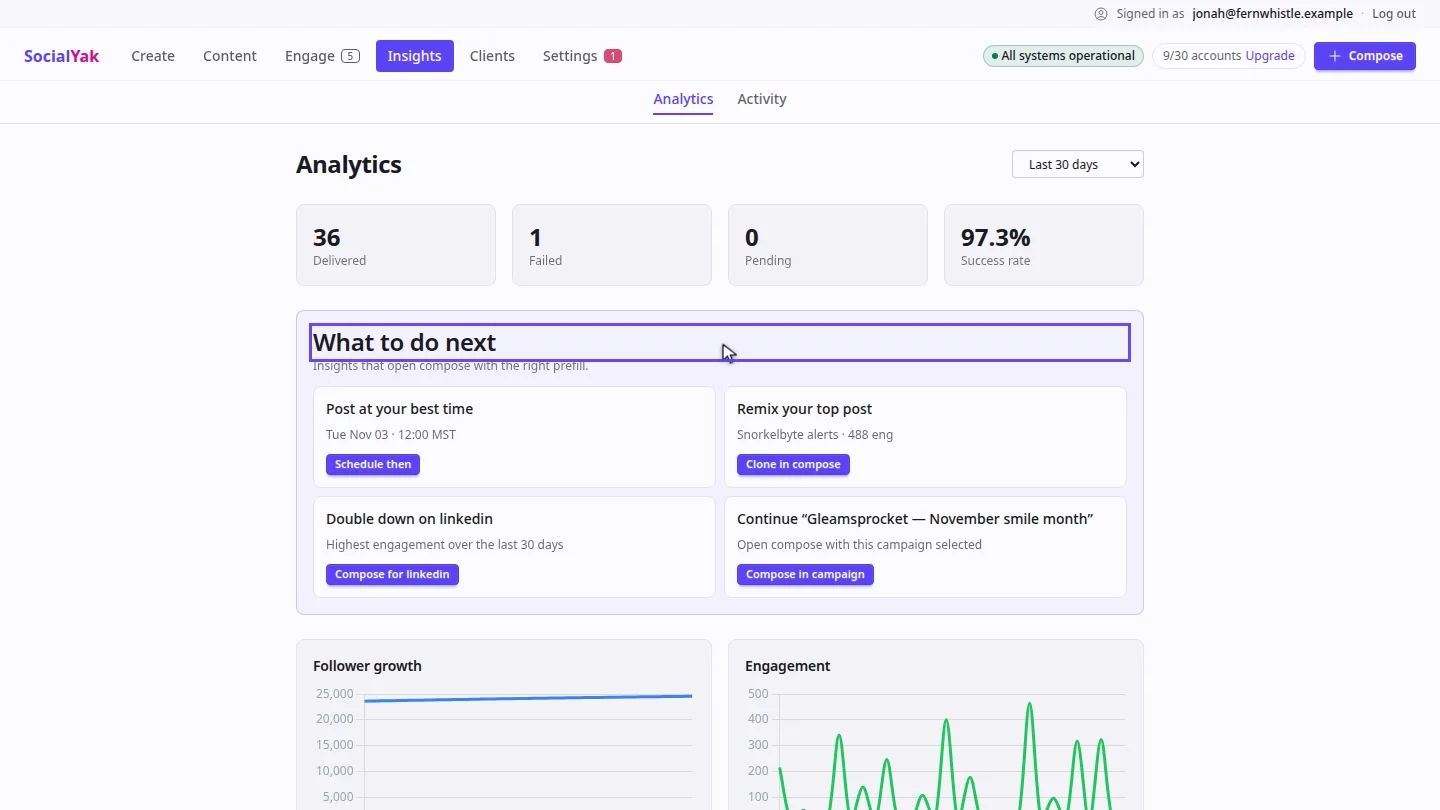
What to do next suggests a best time to post, a top post to remix, and your strongest network. Each button opens Compose, ready to go.
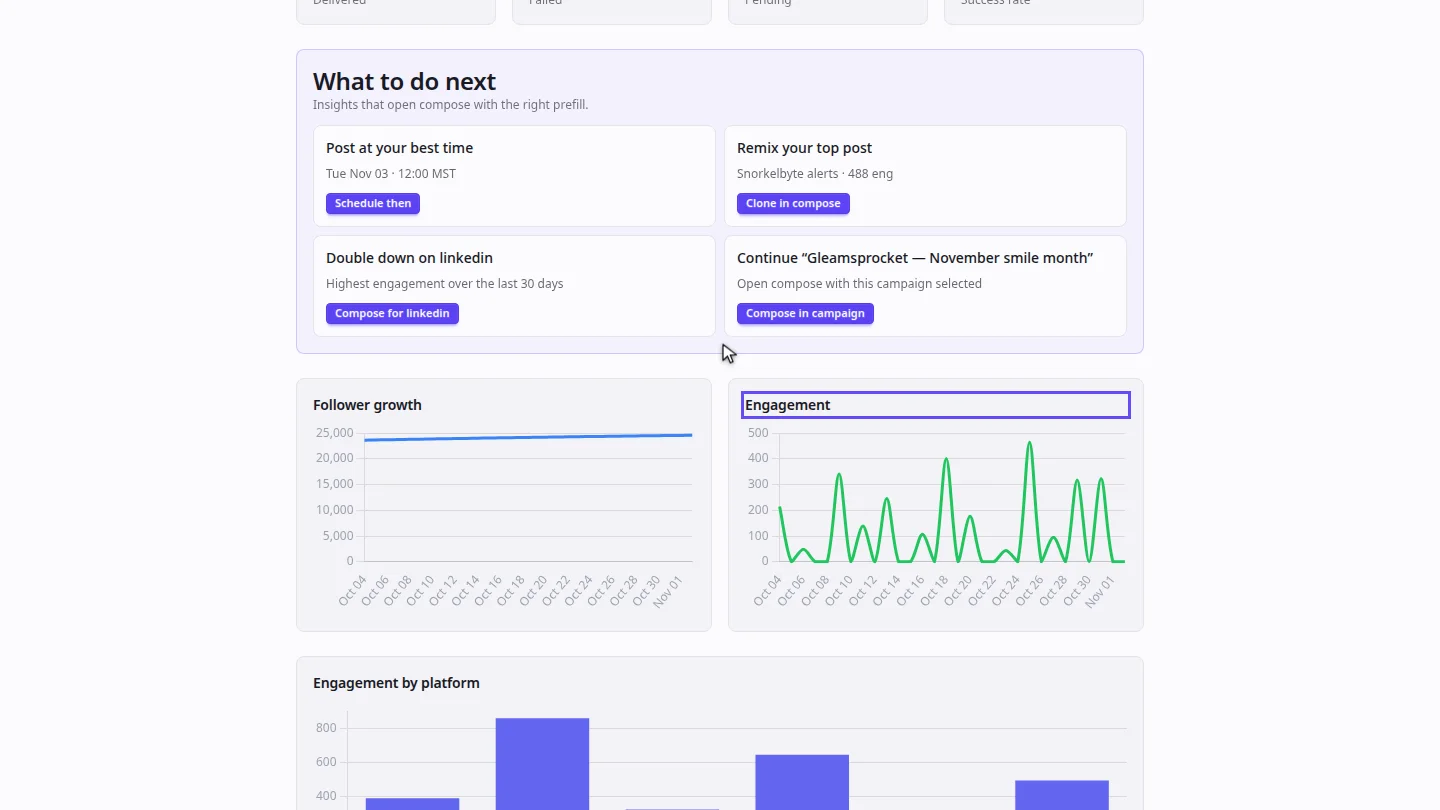
Scroll to the charts for follower growth and engagement. Use the menu at the top to switch between seven, thirty and ninety days.
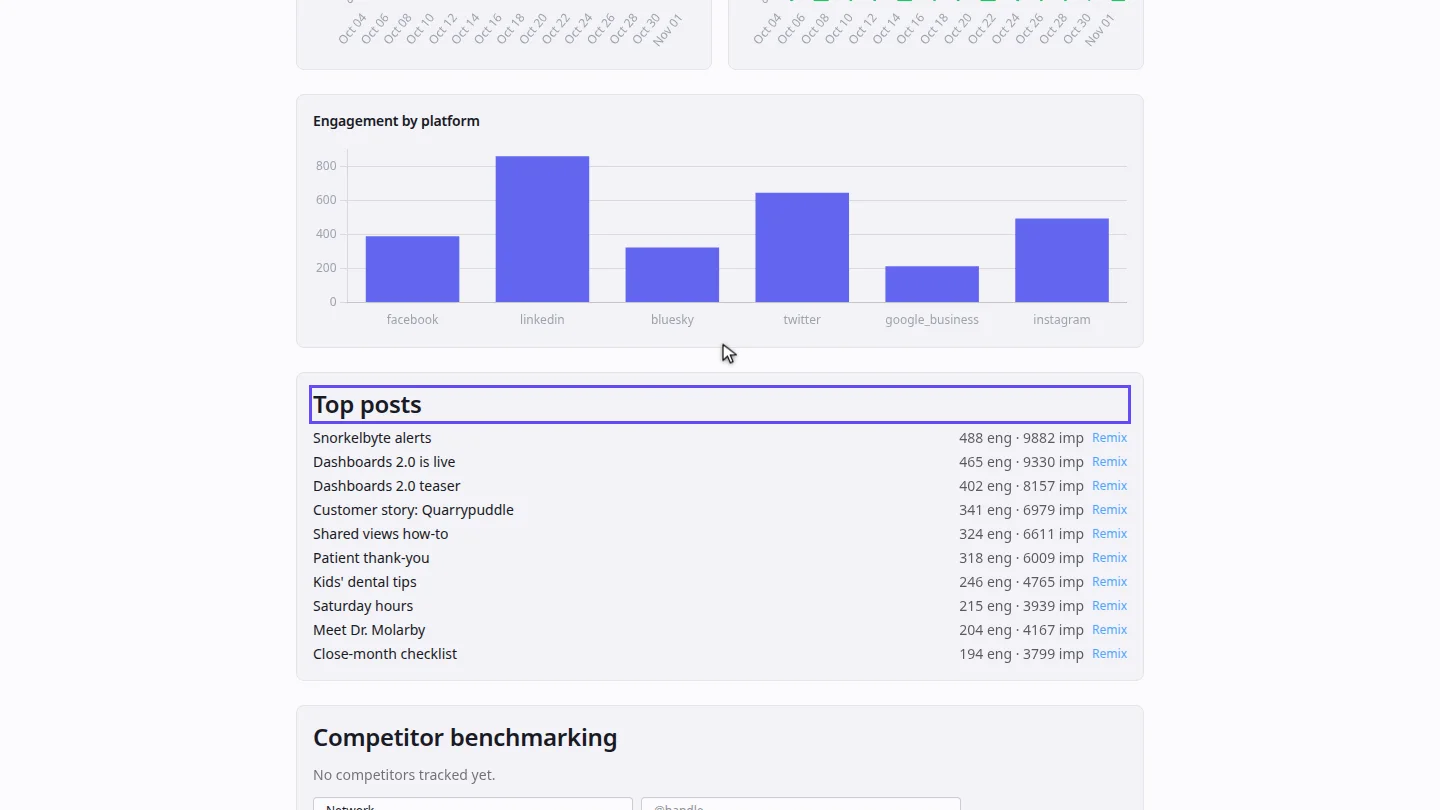
Further down, Top posts ranks posts by engagement, so you can see what to make more of.
Steps
Check delivery ▶ 0:06
Select Insights. Delivered, Failed, Pending and Success rate show how reliably posts went out.
Act on the suggestions ▶ 0:14
Under What to do next, select a suggestion to open Compose with it filled in.
Read the trends ▶ 0:24
Scroll to Follower growth and Engagement. Change the period with the Last 30 days menu.
Find your top posts ▶ 0:33
Scroll to Top posts to see the posts with the most engagement.
Next steps
Updated 2026-10-26
social media analytics engagement follower growth top posts best time to post