How to import posts from a CSV file in SocialYak
Planning a month of posts in a spreadsheet? Import them in one go instead of pasting each into the composer. Each row becomes a post that joins the queue you choose.
Before you start
- A CSV file with a caption column (up to 50 rows)
- A posting queue (see Set up a posting queue)
Preview voice Narrated with a local preview voice; the final recording replaces it.
Transcript
Turn a spreadsheet of captions into queued posts in one import.
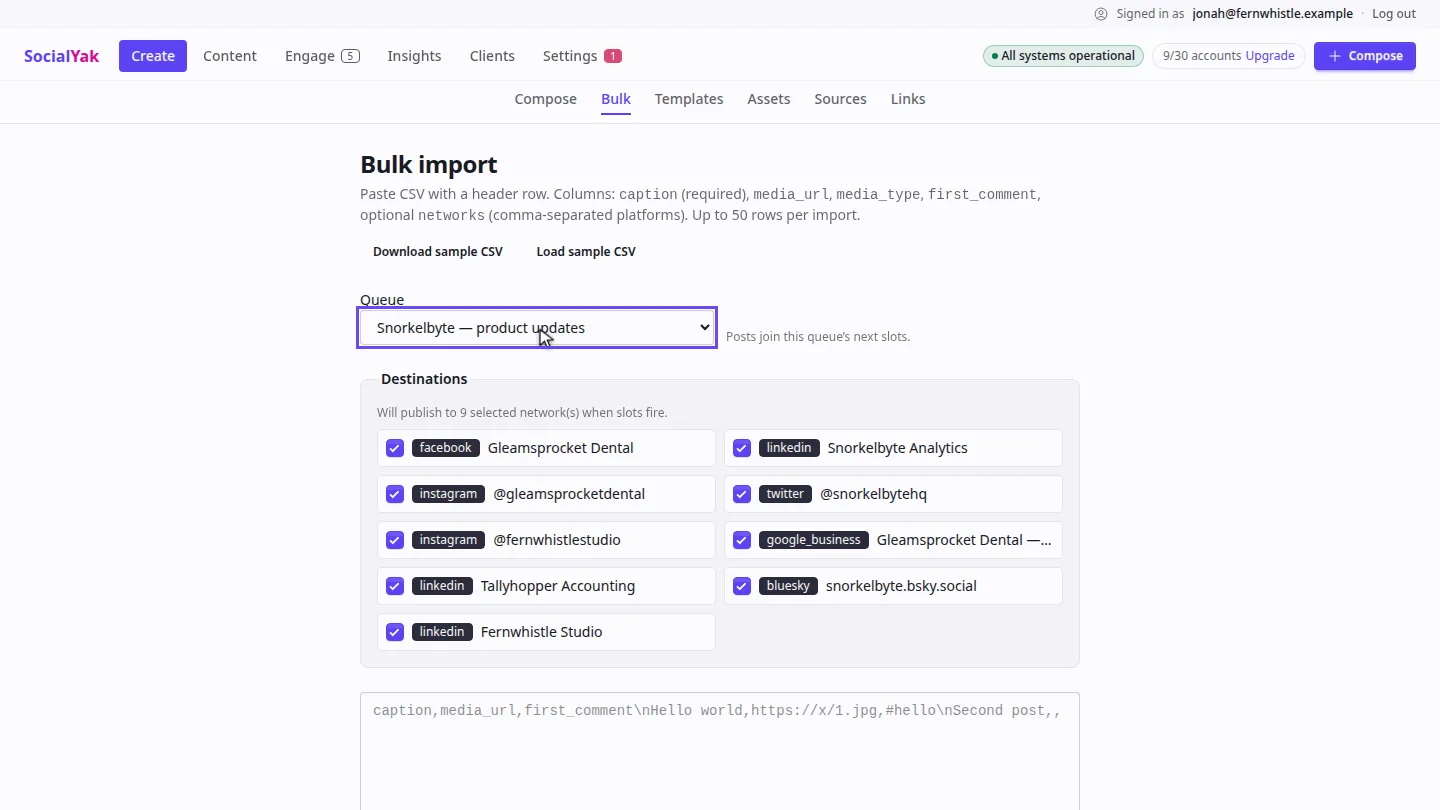
Open Bulk, and choose the queue the posts should join. Each post takes that queue's next free slot.
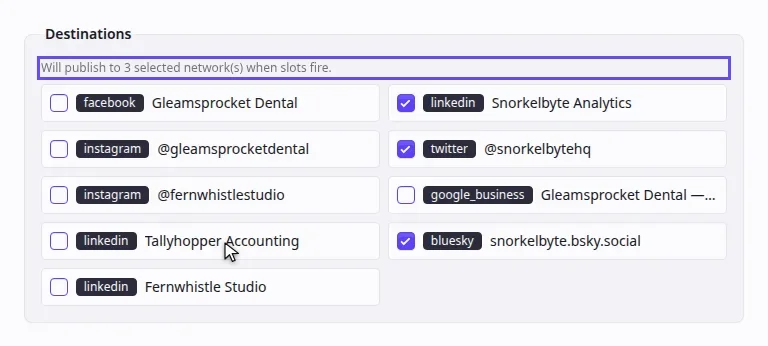
Under Destinations, untick the accounts that shouldn't get these posts, so only the client's three accounts stay selected.
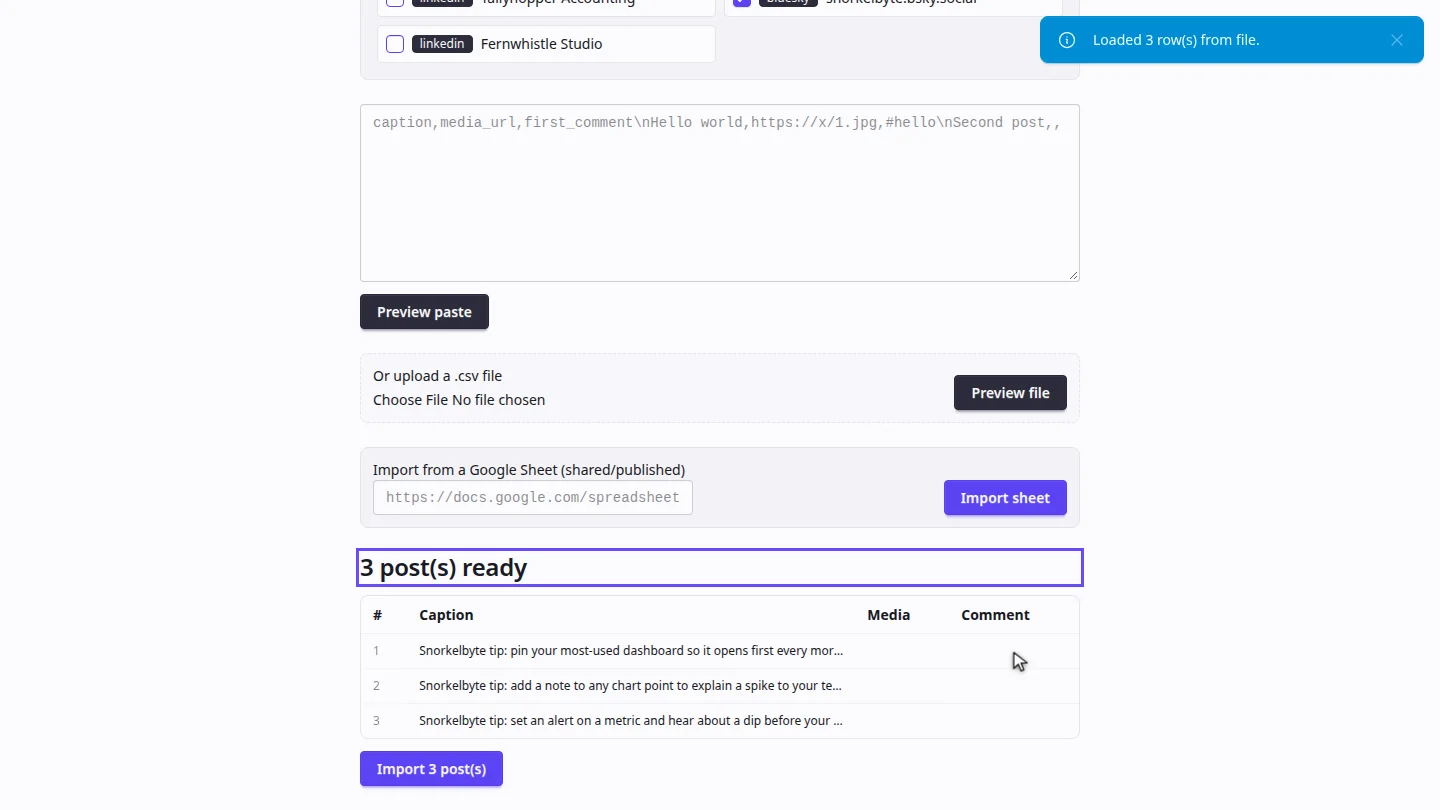
Under Or upload a CSV file, choose your file, and select Preview file. A table shows every post that's ready.
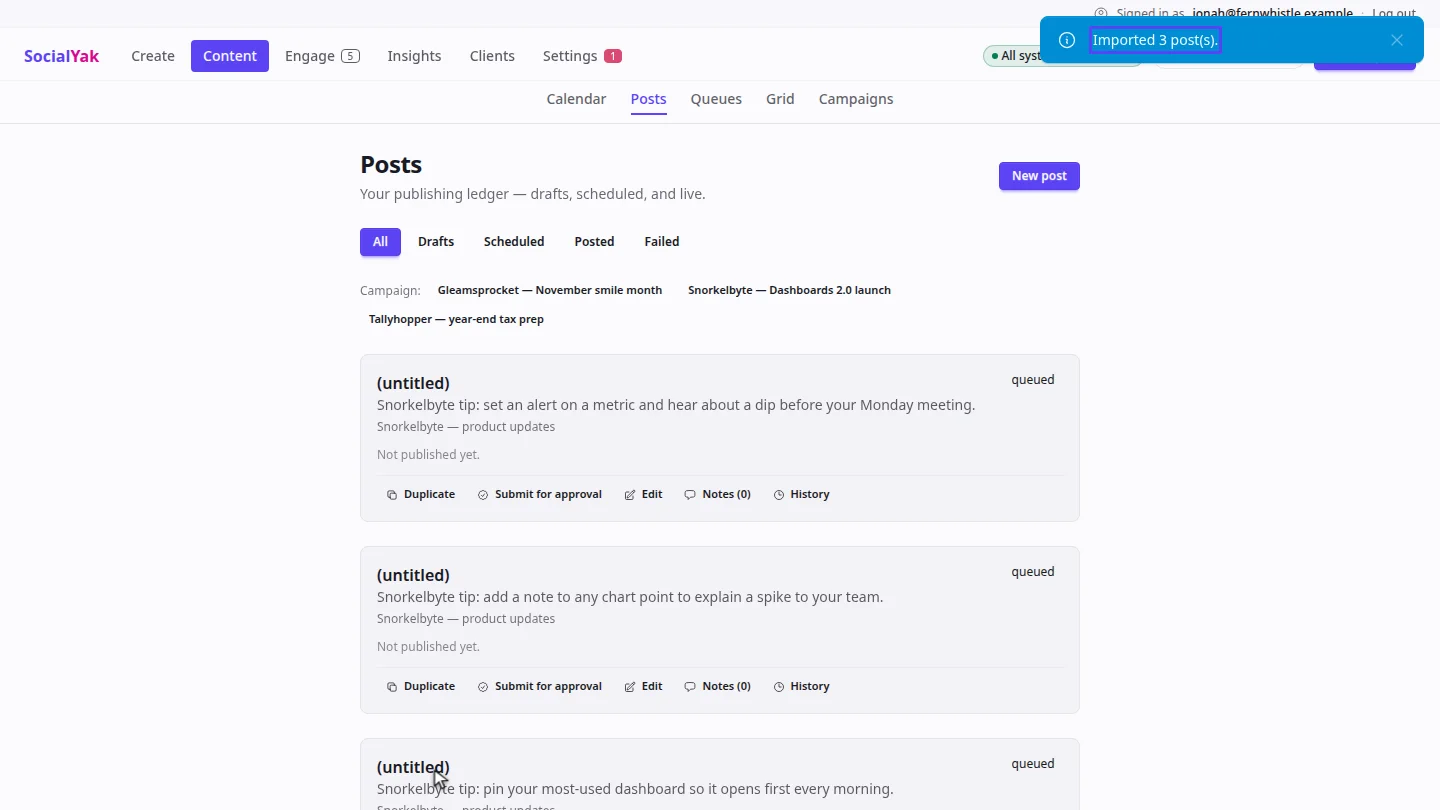
Check the captions, then select Import. The posts appear in Posts, waiting for the queue's next slots. Any row a network would reject is listed with the reason.
Steps
Choose a queue ▶ 0:05
In Create, open Bulk. For Queue, choose the queue the posts should join.
Choose the destinations ▶ 0:13
Under Destinations, untick every account that shouldn't receive the posts.
Upload and preview ▶ 0:22
Under Or upload a .csv file, choose the file, then select Preview file.
Import ▶ 0:30
Check the preview, then select Import 3 post(s). Posts opens with the imported posts.
Next steps
Updated 2026-10-26
bulk upload csv import spreadsheet posts bulk schedule