How to organize posts into a campaign in SocialYak
A promotion runs across many posts and networks. A campaign groups those posts, adds UTM tags to their links so web analytics can credit them, and totals their engagement in one place.
Before you start
- At least one connected account
Preview voice Narrated with a local preview voice; the final recording replaces it.
Transcript
Group a promotion's posts, tag their links, and see their combined results.
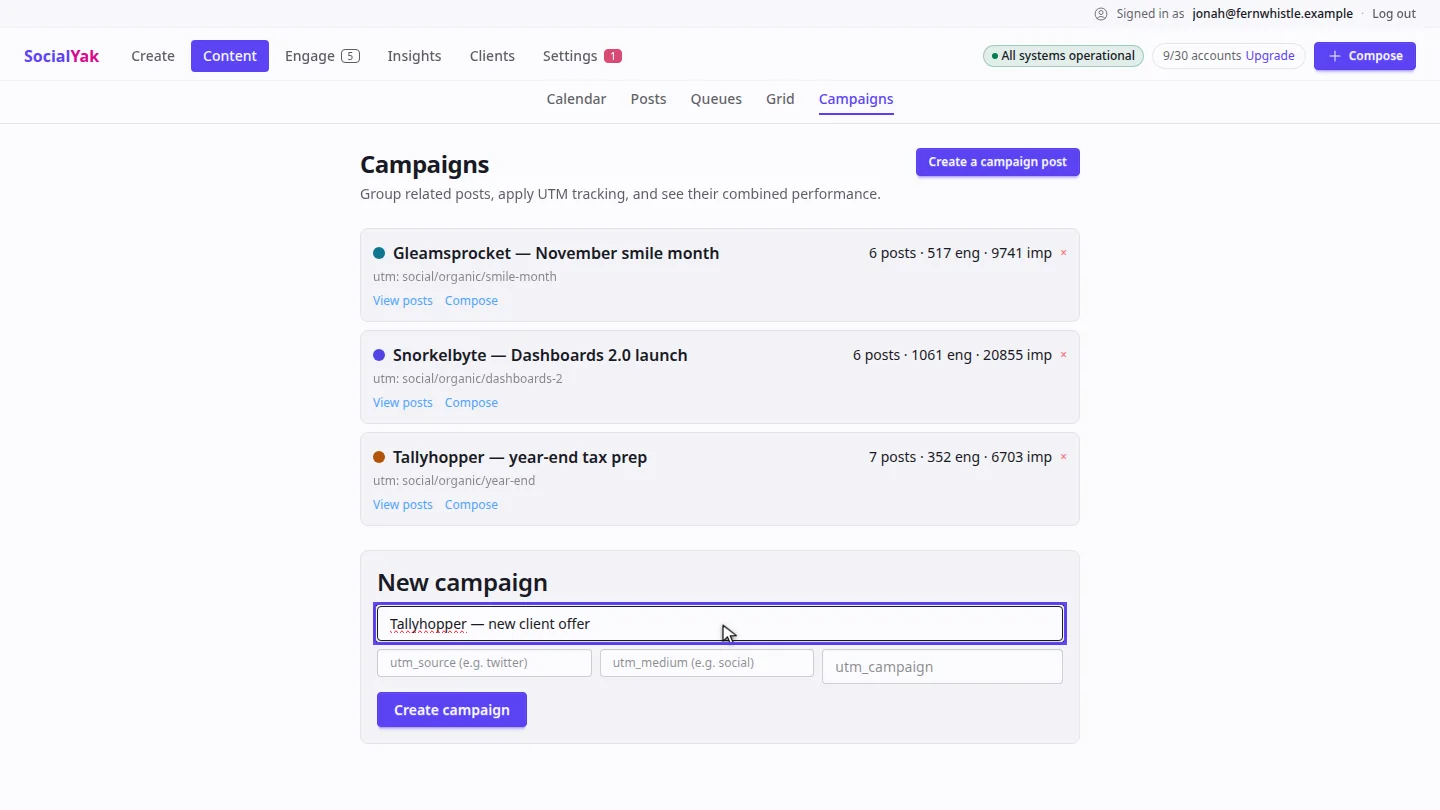
On Campaigns, under New campaign, give it a name your team will recognise.
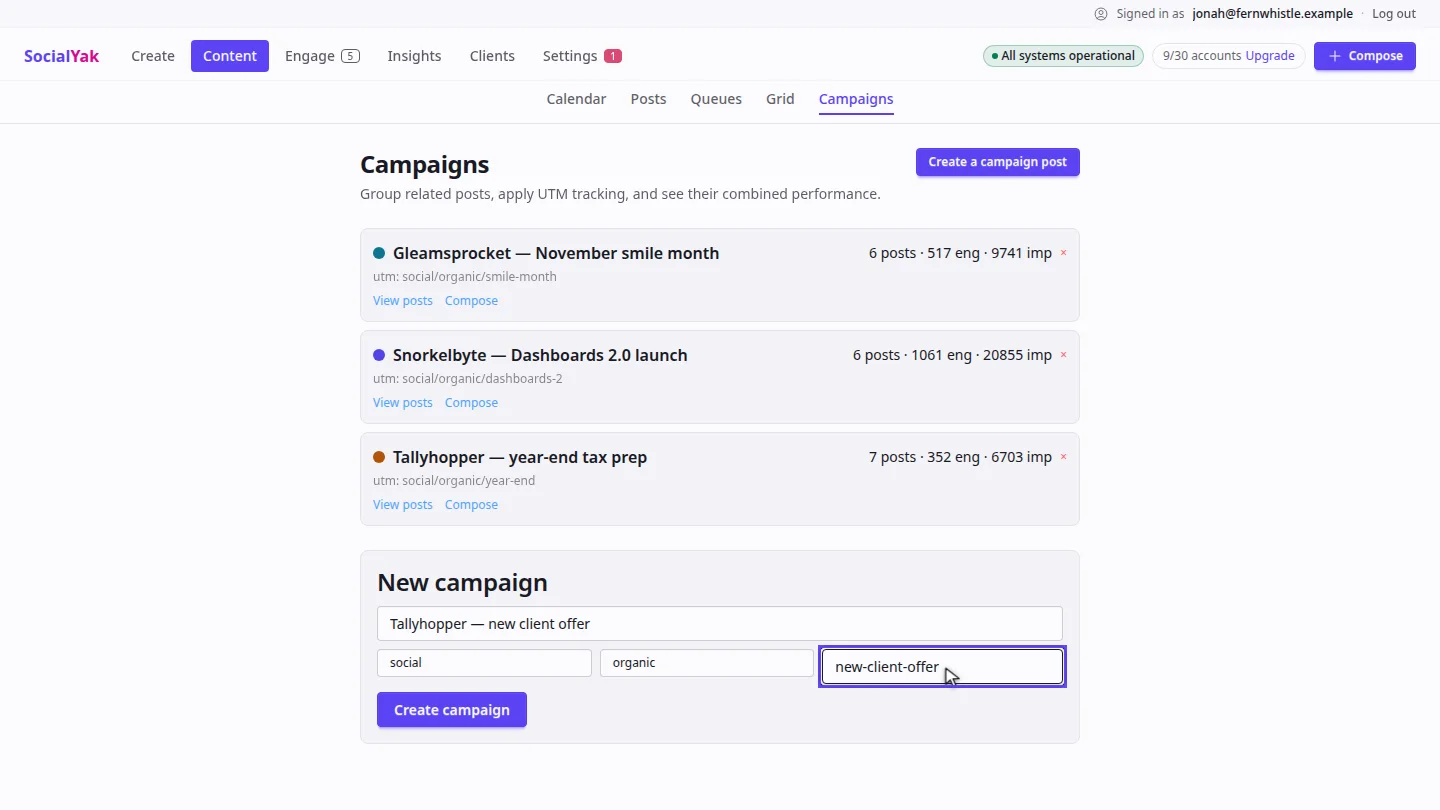
Add the UTM source, medium and campaign values. SocialYak adds them to links in the campaign's posts when they publish.
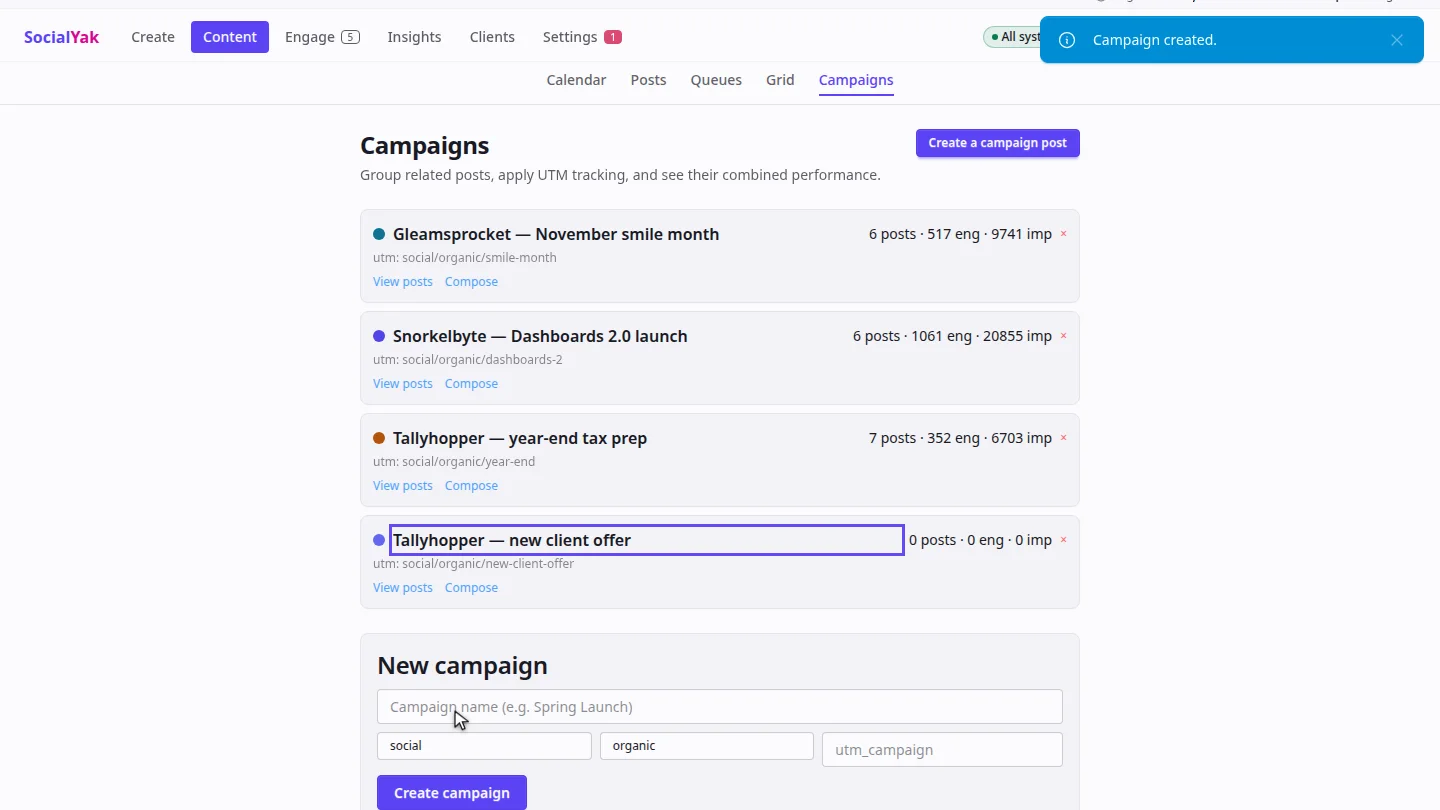
Select Create campaign. It joins the list, where its post count, engagement and impressions add up as posts go out.
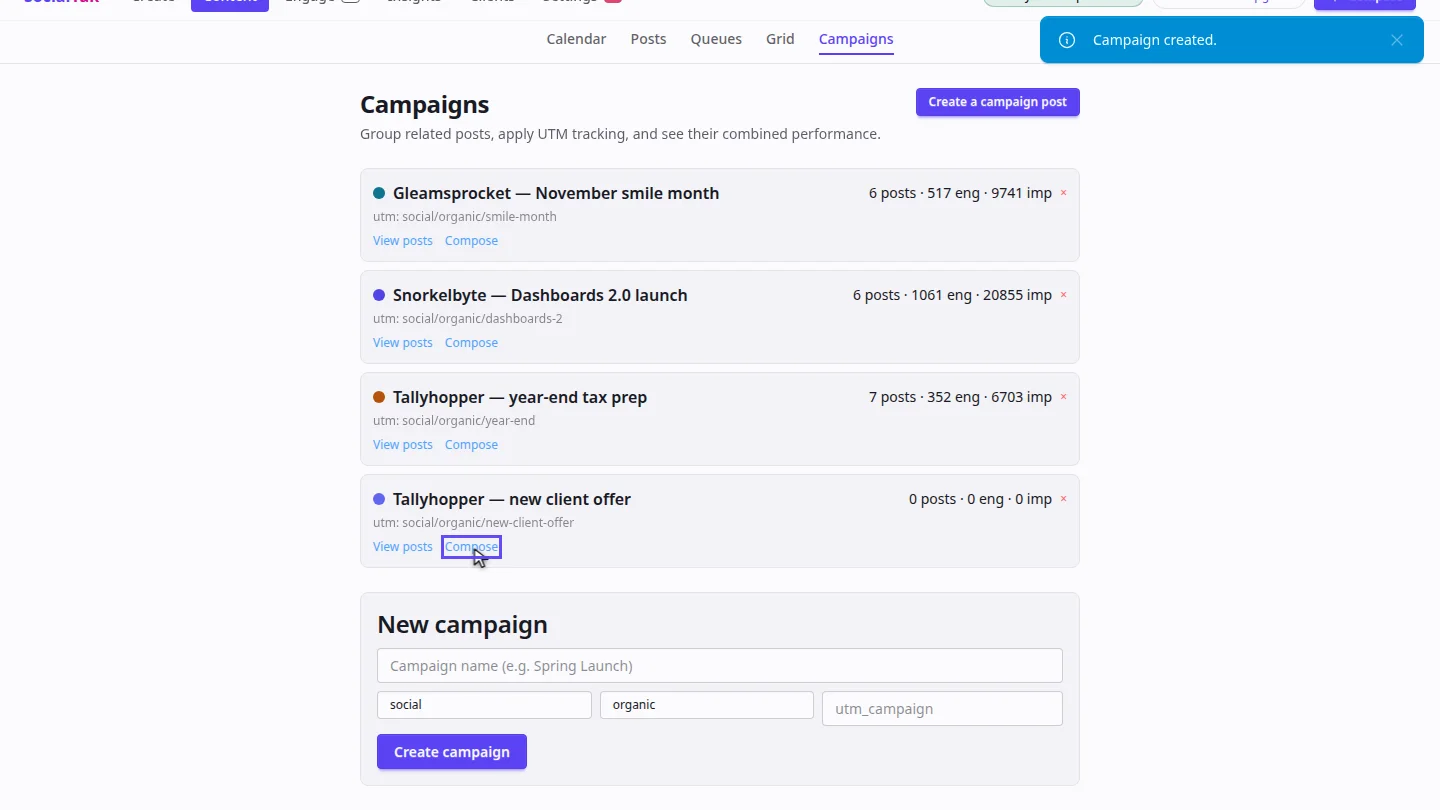
Select Compose on the campaign to write a post that's already filed under it.
Steps
Name the campaign ▶ 0:06
In Content, open Campaigns. Under New campaign, enter a Campaign name.
Add UTM tags ▶ 0:12
Enter utm_source, utm_medium and utm_campaign.
Create it ▶ 0:21
Select Create campaign. The campaign shows its posts, engagement and impressions.
Write a campaign post ▶ 0:29
Select Compose on the campaign. The post you write is filed under the campaign.
Next steps
Updated 2026-10-26
utm campaign tracking marketing campaign group posts