How to reply to comments and messages in SocialYak
Comments and direct messages arrive on every client's accounts. The Inbox collects them in one list, so you can answer from SocialYak instead of logging in to each network.
Before you start
- At least one connected account
Preview voice Narrated with a local preview voice; the final recording replaces it.
Transcript
Answer comments and direct messages from every client's accounts in one inbox.
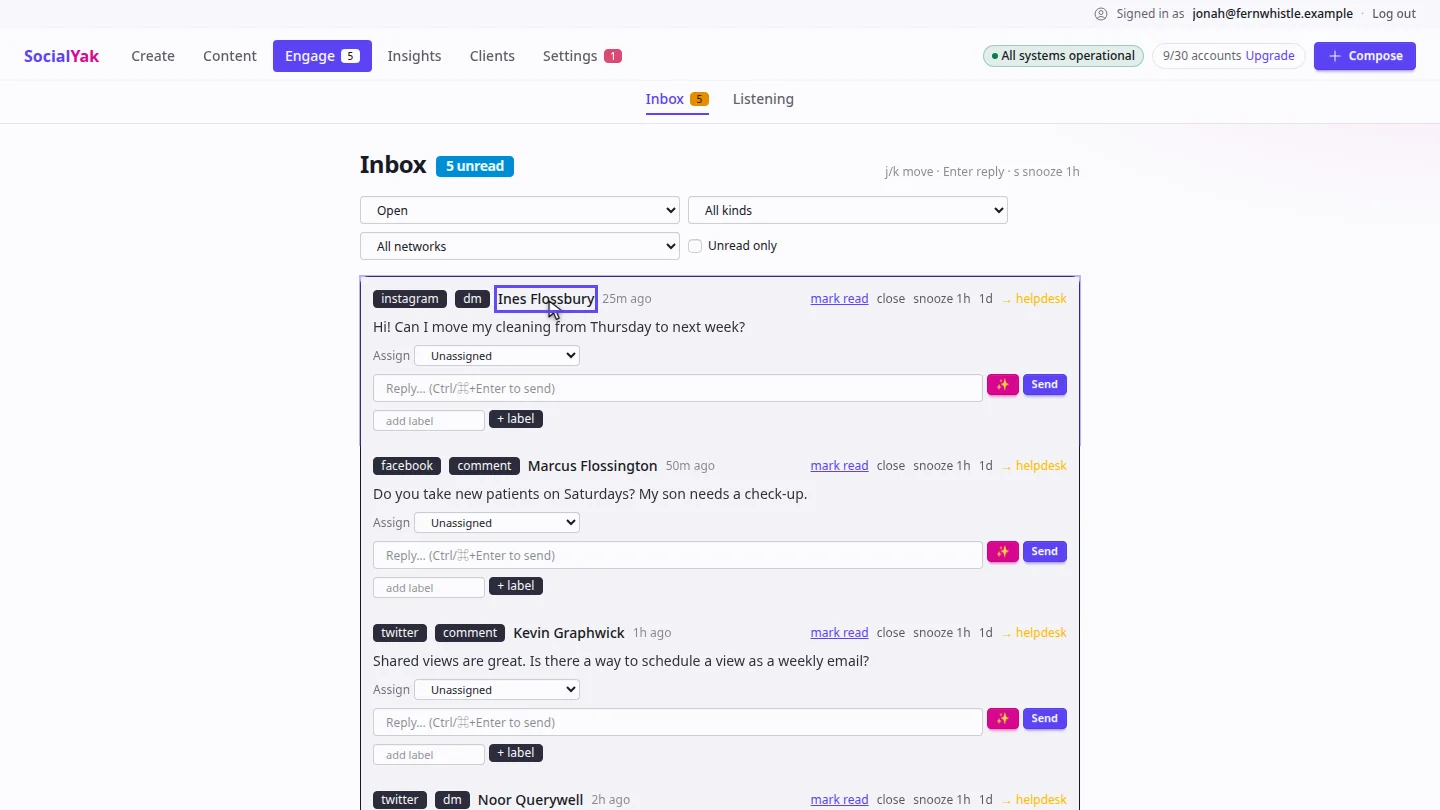
Open Engage. The Inbox lists new comments and messages, newest first, with the network, the kind of message and who sent it.
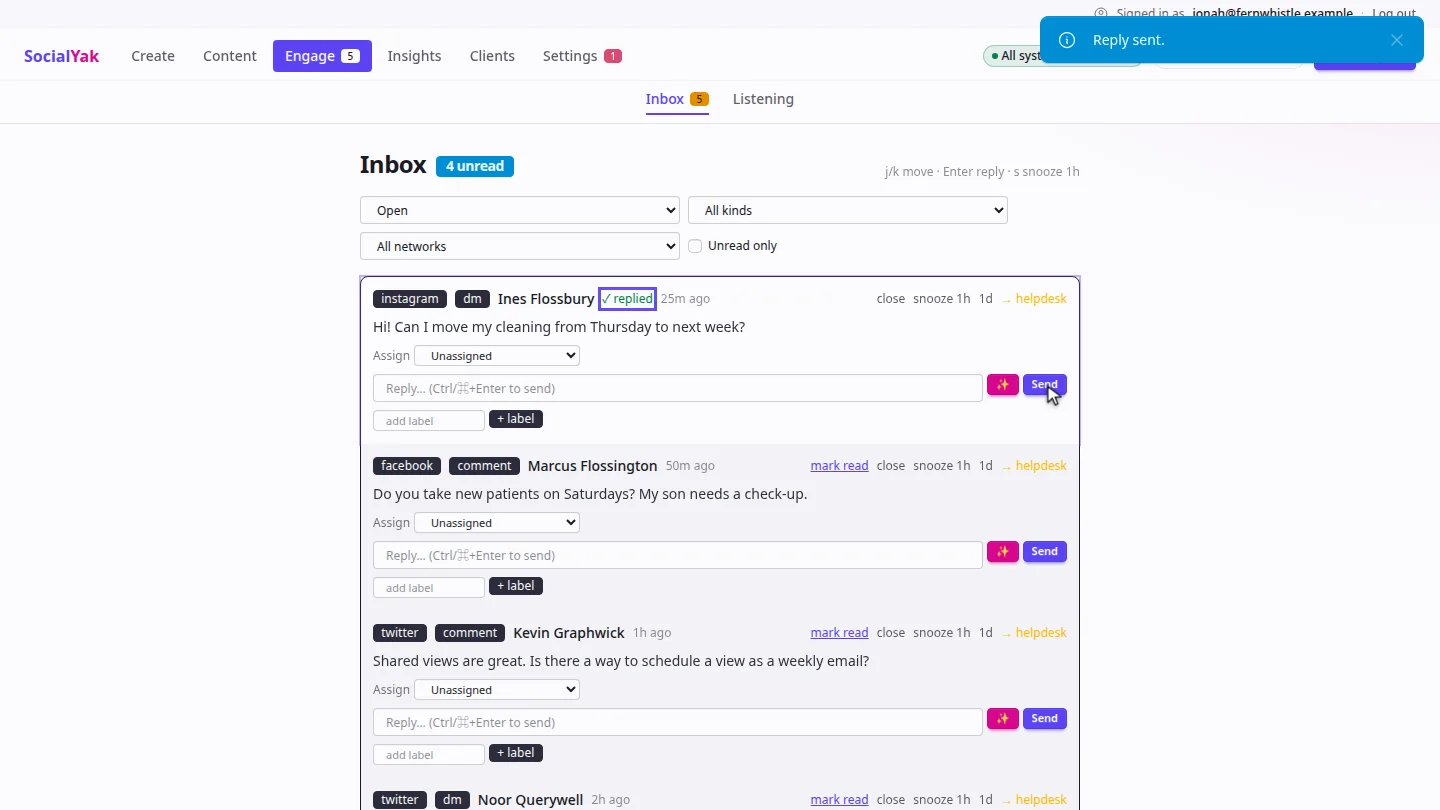
Type your reply under the message, and select Send. SocialYak replies from the client's account, and marks the message replied.
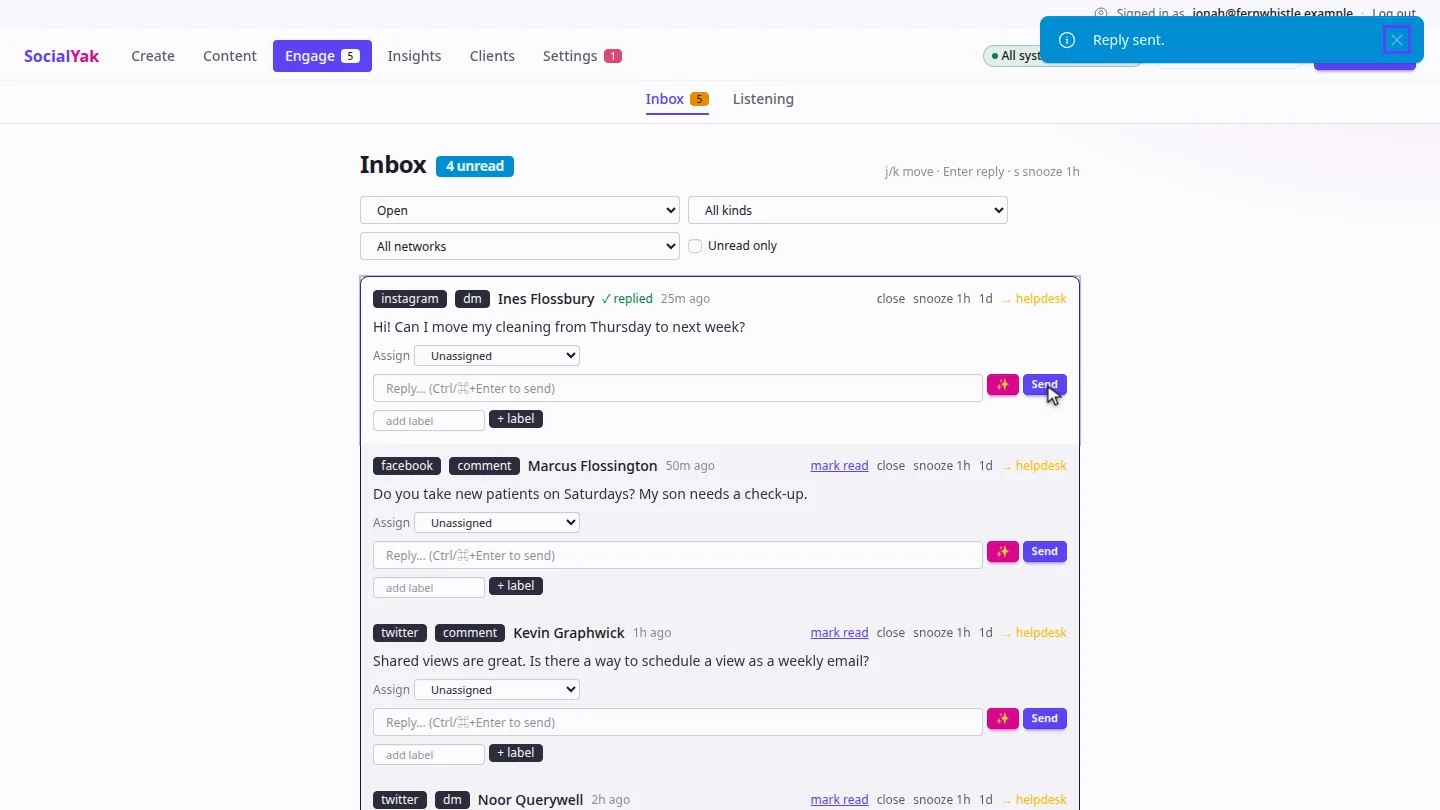
When the conversation is done, select close. It leaves the Open view, so the list only shows what still needs an answer.
Steps
Find the message ▶ 0:06
Select Engage to open the Inbox. Each item shows the network, comment or dm, and the sender.
Reply ▶ 0:16
Type in the Reply… box under the message, then select Send.
Close it ▶ 0:25
Select close on the item. It moves out of the Open view.
Next steps
Updated 2026-10-26
social inbox reply to comments direct messages unified inbox