How to set up a posting queue in SocialYak
Most clients want a steady rhythm, not hand-picked times for every post. A queue holds recurring weekly slots; add a post to the queue and it takes the next free slot.
Before you start
- At least one connected account
Preview voice Narrated with a local preview voice; the final recording replaces it.
Transcript
Give a client a weekly posting rhythm, so new posts take the next open slot.
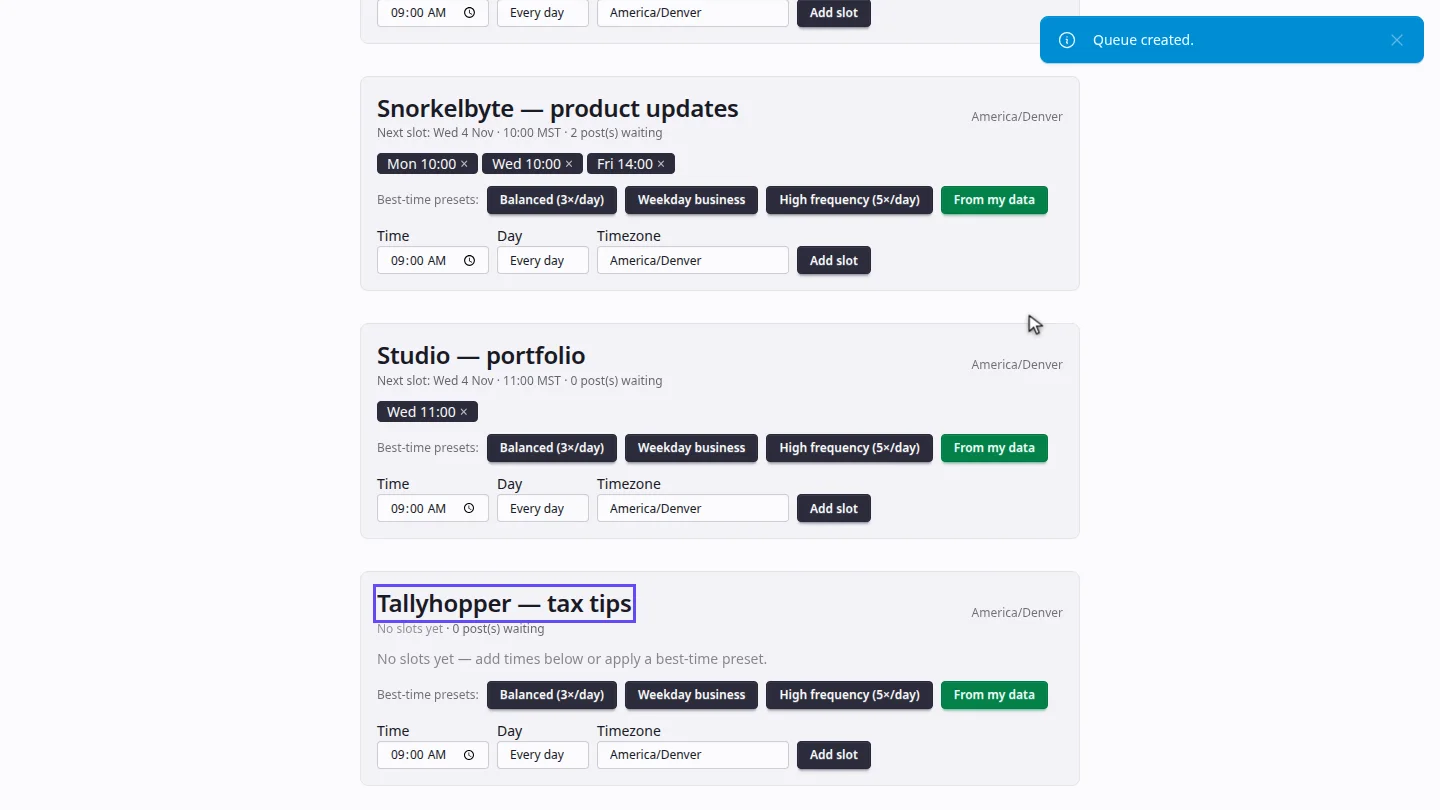
On Queues, name the new queue after the client and its theme, then select Add queue.
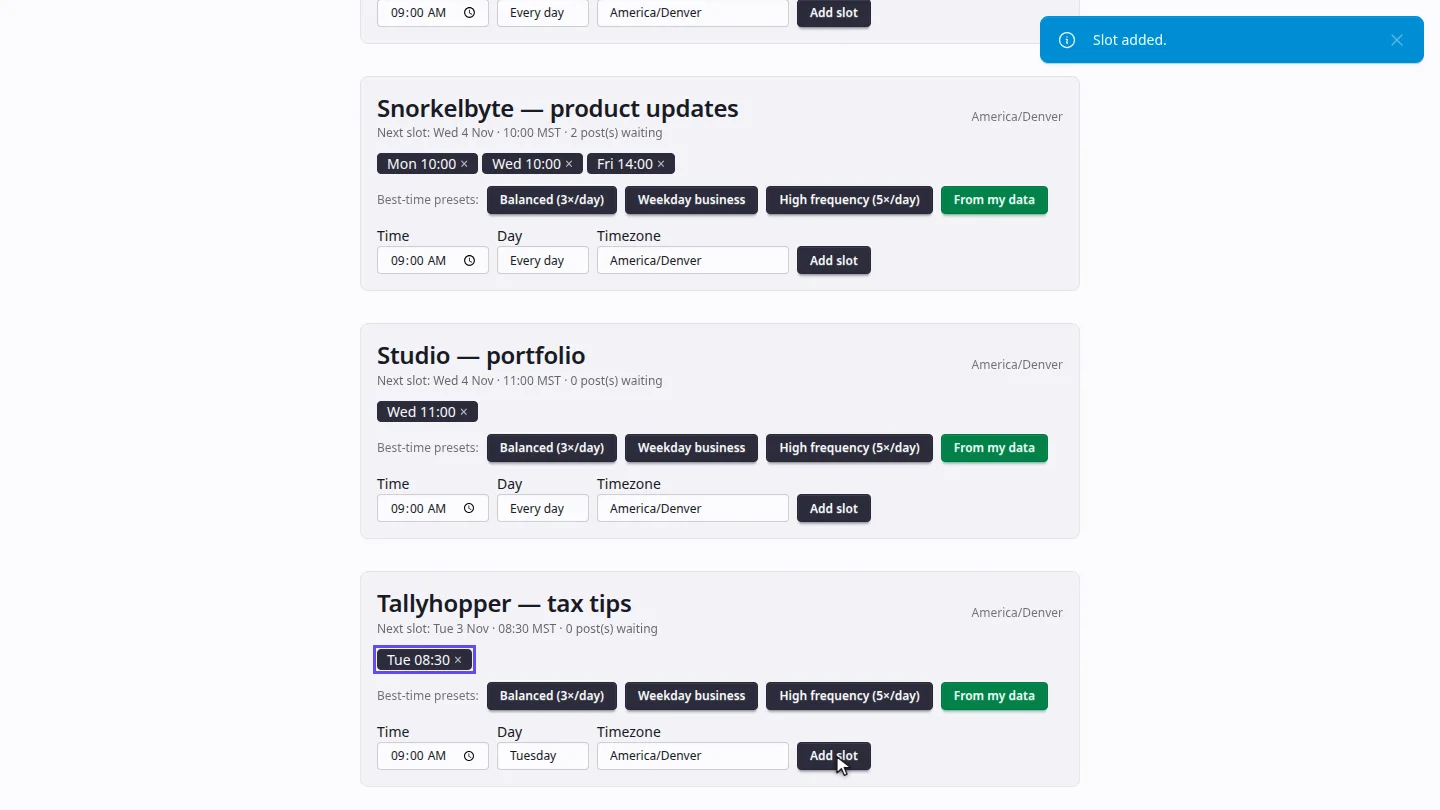
On the new queue, set a time and a day, for example Tuesday at eight thirty, and select Add slot. Slots use your workspace's time zone.
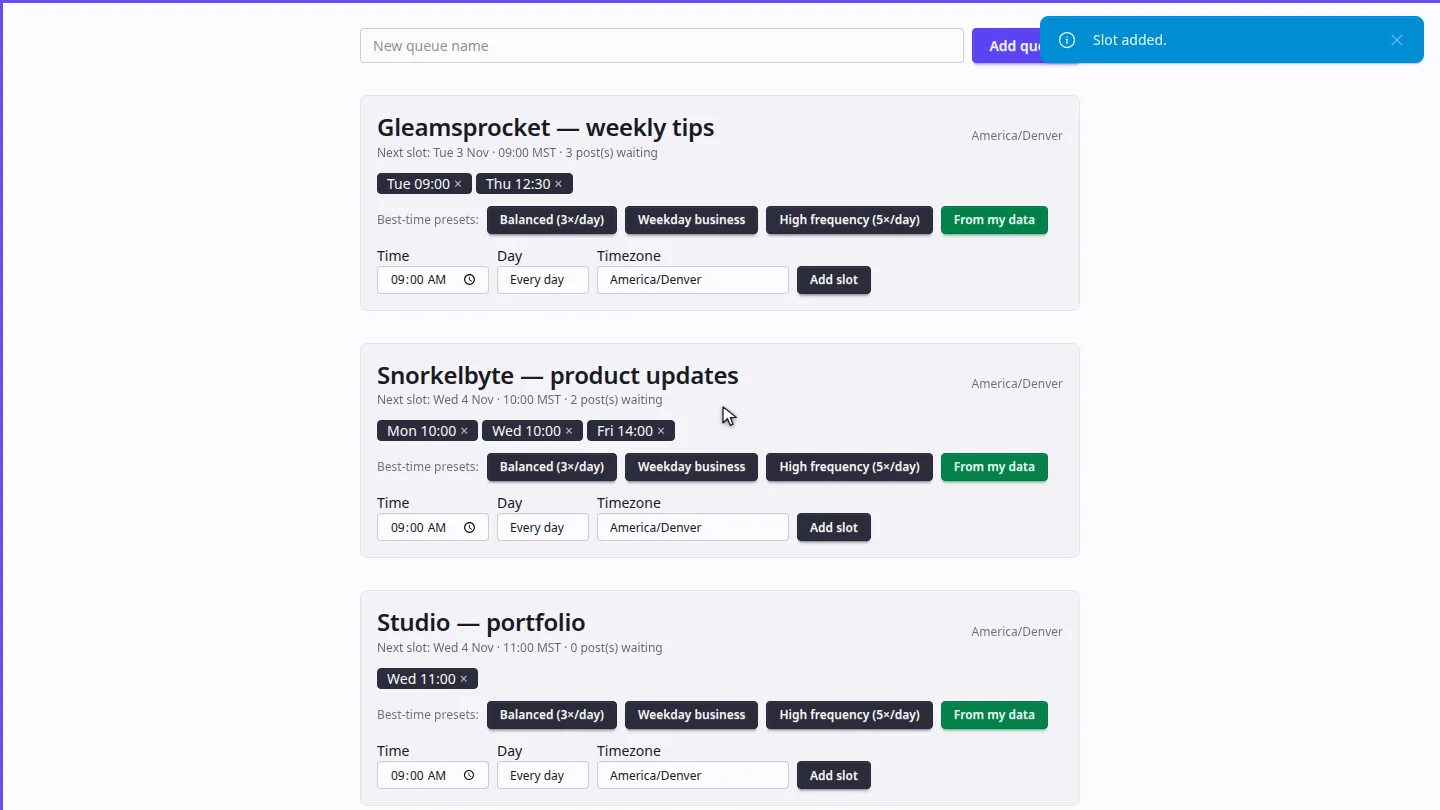
The queue now shows its next slot and how many posts are waiting. In Compose, choose Next queue slot to add a post to it.
Steps
Create the queue ▶ 0:06
In Content, open Queues. Enter a New queue name, then select Add queue.
Add a weekly slot ▶ 0:13
On the new queue, set Time and Day, then select Add slot. Or apply a Best-time preset.
Fill the queue ▶ 0:23
The queue shows Next slot and how many posts are waiting. In Compose, choose Next queue slot and this queue.
Next steps
Updated 2026-10-26
posting schedule time slots recurring posts content queue best time to post