How to shorten and track a link in SocialYak
Long web addresses eat into character limits and tell you nothing about results. A short link fits any caption and counts every click, so you can show a client how much traffic their posts sent.
Before you start
- A SocialYak account
Preview voice Narrated with a local preview voice; the final recording replaces it.
Transcript
Shorten a link for a client's post so it fits any caption, and see exactly how many people click it.
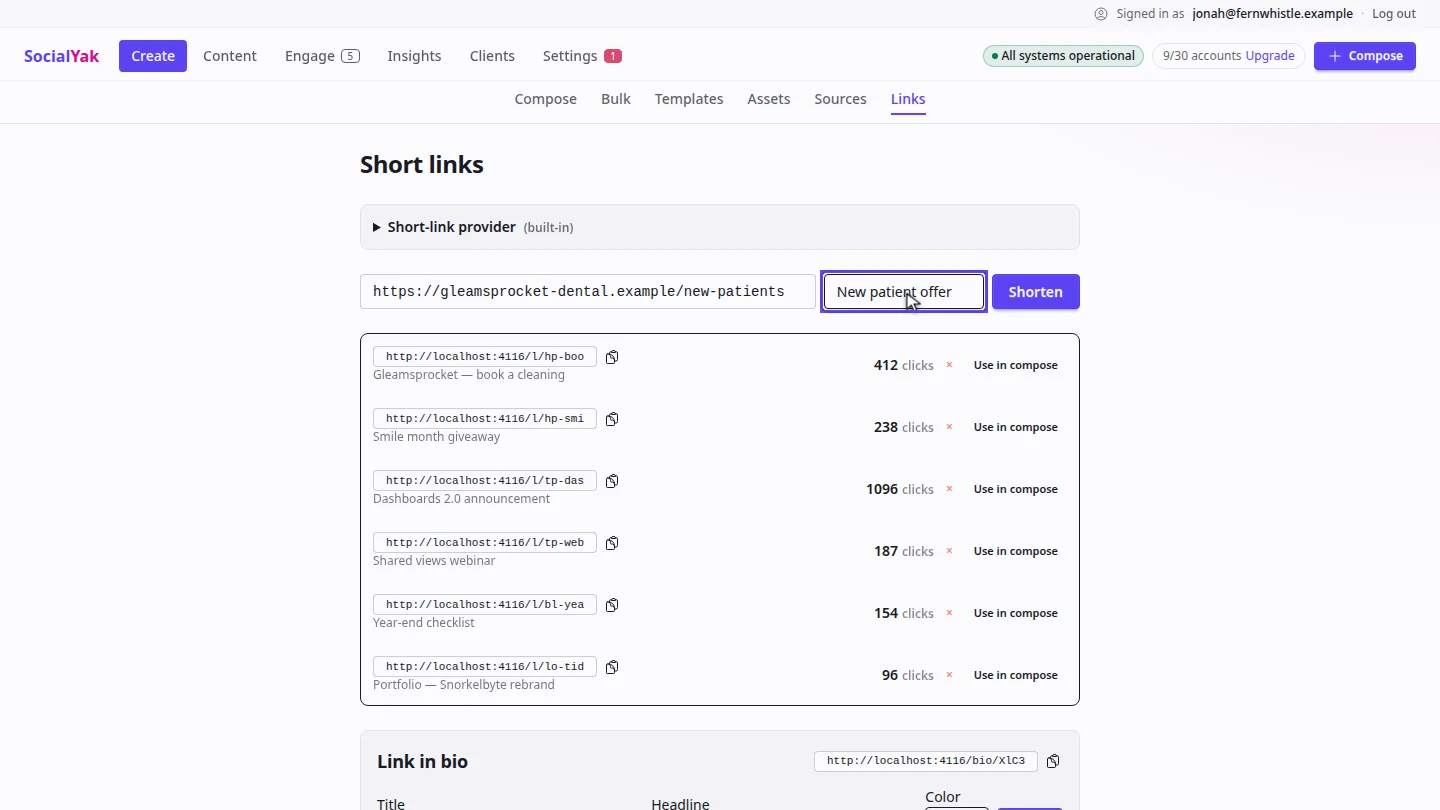
In Create, open Links. Paste the page address, and add a label so you can find it later.
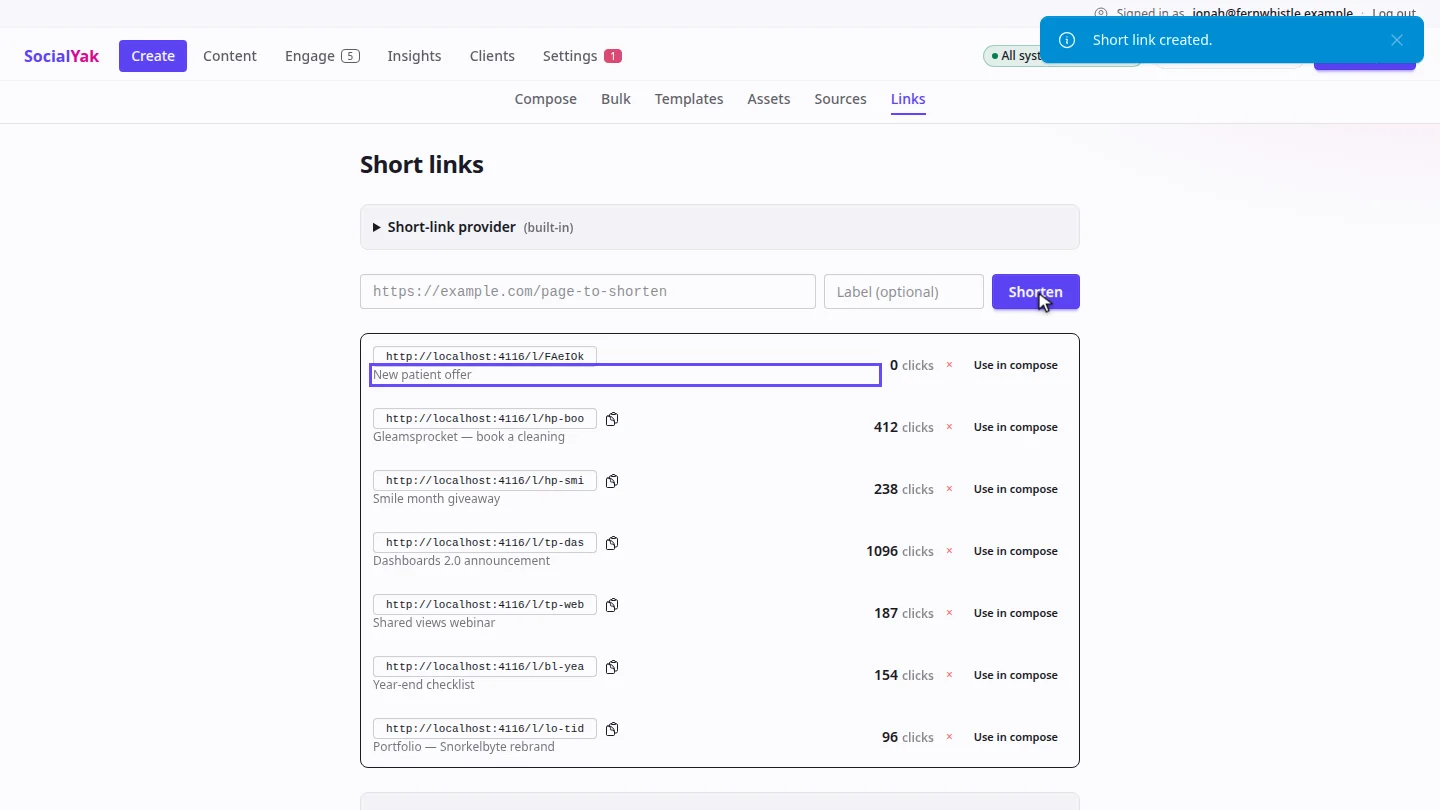
Select Shorten. The new short link joins the top of the list, starting at zero clicks.
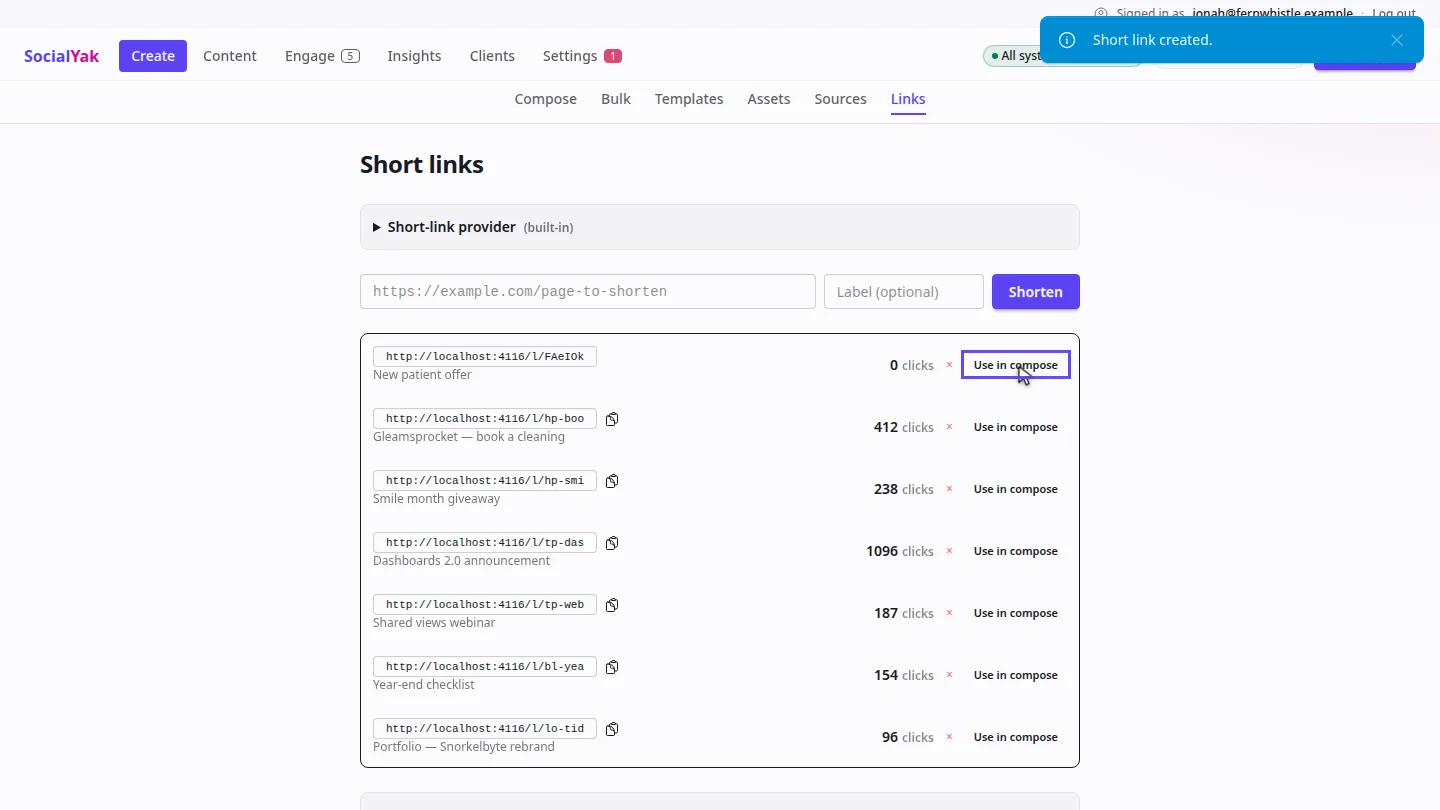
Copy the short link into any caption, or select Use in compose to start a post with it. The click count updates as people visit.
Steps
Enter the address ▶ 0:08
In Create, open Links. Paste the address and enter a Label (optional).
Shorten it ▶ 0:15
Select Shorten. The short link appears at the top of the list with 0 clicks.
Use the link ▶ 0:21
Select Copy short link, or select Use in compose to start a post with the link.
Next steps
Updated 2026-10-26
url shortener link tracking click tracking short link